Online Business

Squarespace vs Framer: Which Should a Business Owner Actually Pick

Squarespace vs Framer: Which Should a Business Owner Actually Pick

Squarespace vs Framer compared for business owners: real 2026 pricing, ease of use, ecommerce, and SEO. Pick the right platform in 10 minutes, from $10 a month.

Squarespace vs Framer compared for business owners: real 2026 pricing, ease of use, ecommerce, and SEO. Pick the right platform in 10 minutes, from $10 a month.

You don't care about website builder wars. You need a site that looks professional and brings in business, and you'd like to pick a platform once, not re-platform in a year. The problem is that almost every Squarespace vs Framer comparison is written for designers, graded on features you will never touch.

This one is for business owners. And a disclosure before we start: I design Framer templates for a living, so I have a side. I'm writing it anyway because the honest answer helps you more, and the honest answer is that Squarespace flat-out wins some of these rounds. I'll tell you which ones.

By the end you'll know which platform fits your business, what each actually costs in 2026, and the one decision that matters more than the platform itself.

Key Takeaways

  • Pick Squarespace if you sell physical products from your site. Its built-in store (inventory, shipping, taxes) is the whole reason to choose it.

  • Pick Framer if you run a service business, agency, or you sell a digital product / SAAS software. The site's job is credibility and bookings. It looks more custom and costs less, from $10 a month.

  • Both handle hosting, SSL, mobile, and SEO basics fine. Neither will hold you back there.

  • Whichever you pick, don't start from a blank page. Starting from an industry template is the difference between a weekend and a month.

The short answer

Squarespace is an all-in-one website and online store builder; Framer is a design-first website builder. That one sentence decides most cases. If your revenue flows through a cart (you ship products, manage inventory, charge sales tax), Squarespace gives you all of it on every plan with no duct tape. If your revenue comes from clients, bookings, or inquiries (coaching, agencies, fitness, real estate, photography, consulting, SAAS), the site's real job is to look credible and convert, and Framer produces a more distinctive site at a lower monthly price. Both are easy to update yourself once the site exists. The decision is about what your business sells, not which editor has nicer buttons.

How is the pricing different in 2026?

Framer's entry paid plan is $10 a month and Squarespace's is $16 a month, both billed annually. The structure matters more than the gap, so here's the 2026 picture:


Framer

Squarespace

Free option

Free plan on a framer.website address

14-day trial only

Entry plan

Basic, $10/mo (annual)

Basic, $16/mo (annual)

Mid plan

Pro, $30/mo

Core, $23/mo

Top standard plan

Scale, $100/mo

Advanced, $99/mo

Custom domain

From Basic

All paid plans

Online store

Not built in; via Shopify integration

Built in on all plans

Transaction fees

Depends on your payment tool

On Basic; removed from Core up

For a typical service business site, year one looks like: Framer Basic at $120 plus a domain around $15, so roughly $135. Squarespace Basic runs $192 plus the domain, so roughly $210. Neither number should scare you; both are a fraction of one freelancer / agency invoice.

Two footnotes worth knowing. Framer's free plan is a real way to test the product, but you'll want Basic from day one for a custom domain, because yourbusiness.framer.website on a business card undoes the professionalism you're paying for. And if a store is in your plans, read the ecommerce section below before the price table sways you.

Which is easier if you're not a designer?

Starting from a blank page, Squarespace is easier, and it isn't close. Its guided setup asks what your business does and hands you a respectable starting point; The editor keeps you inside guardrails that make it hard to break things. Framer gives you a freeform canvas with real design power, which also means more ways to wander off into the weeds if design isn't your thing.

But here's the part the comparisons skip: Almost nobody should start from a blank page on either platform. The moment you start from a finished template, the difficulty gap nearly disappears, because you're no longer designing anything. You're replacing text, swapping photos, and changing colors, which feels about the same on both platforms.

So the honest reframe of "which is easier?" is "which is easier from zero?", and the honest answer is that you shouldn't be at zero. Blank pages are where DIY sites go to look DIY. Start from a professional design and you skip the entire skill problem this question is really about.

Which makes you stand out?

Squarespace's strength is also its tell. the sites look polished, and they look like Squarespace. The same templates power millions of sites, and visitors have developed pattern recognition; "nice Squarespace site" is a sentence people actually say. For some businesses that's fine. For businesses in lookalike industries, it's a missed opening.

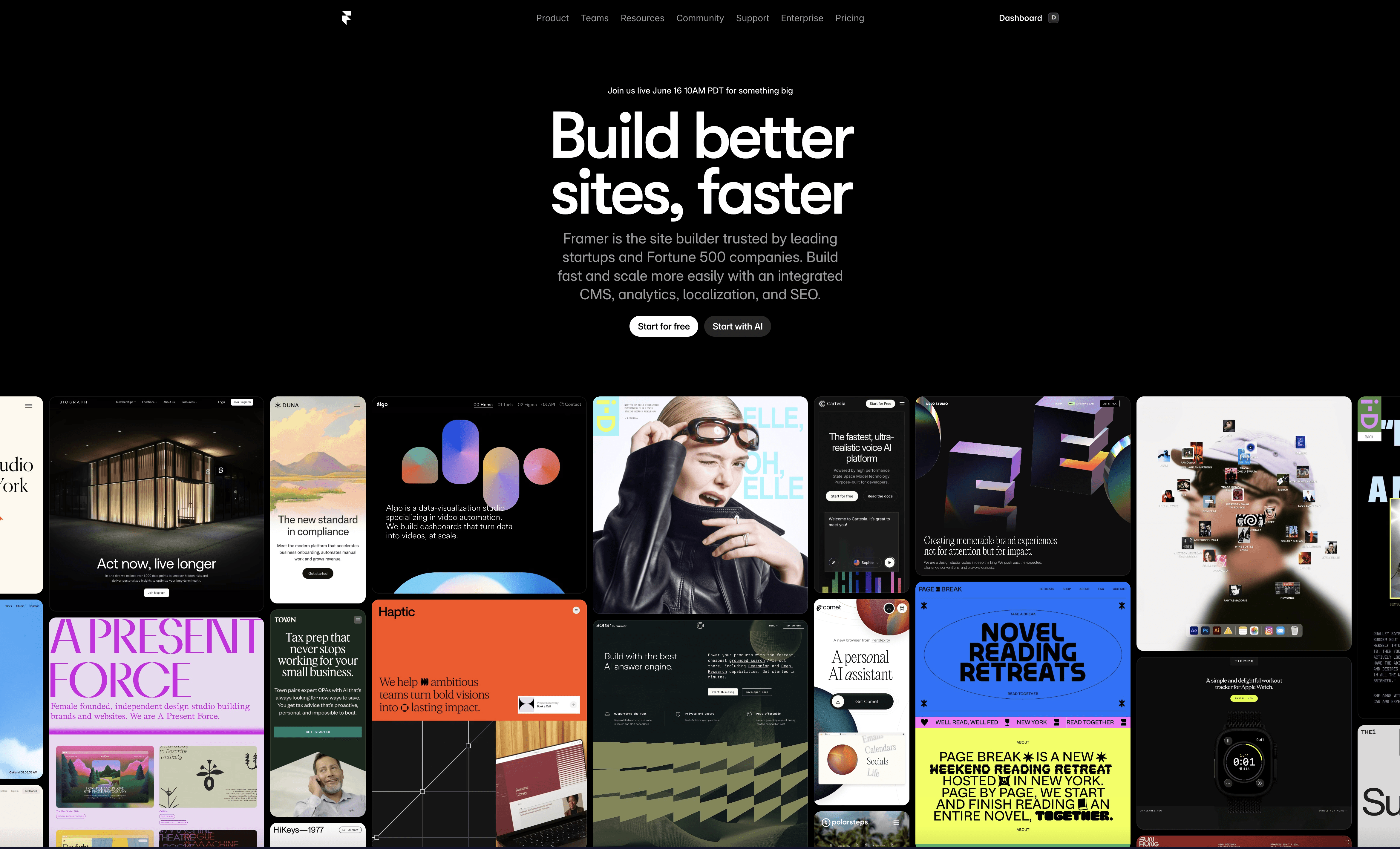
Framer's edge is that its sites read as custom-made: Layout flexibility, smooth motion, interactions that other web builder can't do. That perceived effort translates to perceived investment in your business. Stanford's Web Credibility Research found 75 percent of people judge a company's credibility by its website design, and in industries where every competitor runs the same default layout (real estate, gyms, salons, agencies), being the one distinctive site in the search results is a cheap competitive advantage.
One caution in the other direction:

Distinctive doesn't mean busy.

A clean, simple site beats a chaotic, creative one every day of the week. The goal is "clearly someone invested in this", not "clearly someone discovered animations."

What about selling products online?

Squarespace wins for physical product stores, full stop. Inventory, shipping rates, sales tax, discounts, and checkout are built into every plan, with unlimited products and no extra software. If you're shipping candles or clothing, this round isn't a debate.

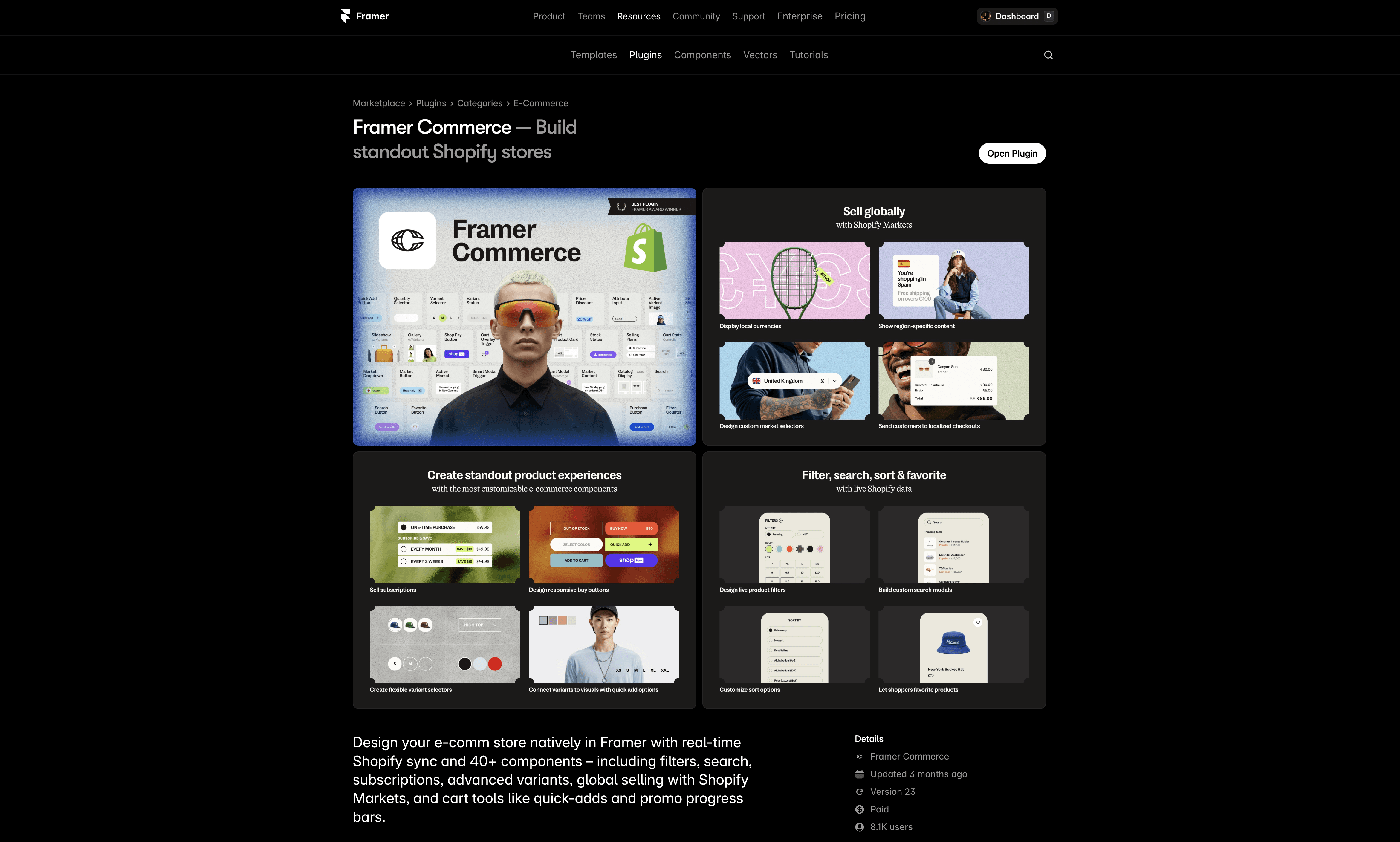
Framer has no built-in checkout. The 2026 route for a real product store on Framer is a Shopify plan (from about $29 a month) connected through the Framer Commerce plugin (from about $12 a month), which syncs your Shopify catalog into Framer and sends buyers to Shopify's checkout.

It works, and it produces the best-looking storefronts in this comparison, but it's two systems and roughly $40+ a month before you've sold anything. That's a setup for stores where brand presentation is the differentiator, not for a first store finding its feet.
The decision rule: If you're managing more than a handful of physical products and the store is the business, pick Squarespace (or go straight to Shopify). If you sell services, digital products, courses, or bookings, Framer covers all of it with simple payment links and embeds (Stripe, Lemon Squeezy, Calendly, course platforms), and most service businesses never need a cart at all.

SEO, speed, and the boring essentials

Both platforms are fine here, and anyone telling you one of them will tank your Google rankings is trying to sell you something. Both give you SSL, clean URLs, editable titles and descriptions, automatic sitemaps, and mobile-ready output.

Speed deserves one honest note. Framer publishes very fast static pages and tends to score well on Core Web Vitals, Google's page experience metrics, out of the box. That matters because speed compounds; Research from Google and SOASTA found bounce probability rises 32 percent as load time goes from one second to three. Squarespace sites are usually fast enough when you don't overload them with giant images, which is the real speed killer on every platform.

What no platform does is SEO itself. Rankings come from your content, your Google Business Profile, and your reviews. The platform just has to not get in the way, and neither of these does.

When each one is the right call

Squarespace is right when:

  • You sell physical products and want the store, inventory, and shipping in one place

  • You want email marketing and appointment scheduling from the same company (paid add-ons, but one ecosystem)

  • You already have a Squarespace site that converts fine. Don't re-platform for vibes.

Framer is right when:

  • You run a service business and the site's job is credibility, inquiries, and bookings

  • You want a site that doesn't look like a template, without paying custom prices

  • You're watching costs: $10 a month with a custom domain is the cheapest professional setup in this comparison

  • You publish often and want fast-loading pages by default

Your situation

Pick

Physical products, inventory, shipping

Squarespace

Service business: coaching, agency, fitness, real estate, photography

Framer

Digital products or courses

Either; Framer if design matters most

Everything (site, email, scheduling) on one bill

Squarespace

Tightest budget with a custom domain

Framer

Existing site that already converts

Stay where you are

Bottom line: choose by what you sell. Carts favor Squarespace, clients favor Framer.

The decision that matters more than the platform

After all the comparing, the choice that moves the result most isn't Squarespace versus Framer. It's blank page versus template. A blank page costs you weeks (or even months) and produces a site that looks homemade, on either platform. A template built for your industry already made the hundred small design decisions you'd otherwise guess at: what goes above the fold, where the proof sits, how the booking flow works.

That's the actual reason service businesses lean Framer in this comparison: The template ecosystem there is built around conversion-focused, industry-specific designs. A personal trainer can start from something like Reformr, which is structured around turning visitors into client bookings, and have it live over a weekend without designing a single thing. The platform is the engine; the template is the car.

FAQ

Is Framer easier to use than Squarespace?

From a blank page, no. Squarespace's guided setup and guardrails make it the easier zero-to-something tool. Starting from a finished template, the difference mostly disappears. On both platforms you're editing text and swapping images, and day-to-day updates are equally simple.

Is Framer cheaper than Squarespace?

For a standard business site in 2026, yes; Framer Basic is $10 a month versus Squarespace Basic at $16, both billed annually, and Framer has a usable free plan while Squarespace offers only a trial. For online stores the math flips (see the ecommerce question below).

Can you build an online store with Framer?

Not with Framer alone; it has no built-in checkout. Product stores on Framer run on a Shopify plan connected through the Framer Commerce plugin, roughly $40+ a month combined. It makes exceptional-looking storefronts, but for a straightforward first store, Squarespace's built-in commerce is simpler and cheaper.

Can I move my website from Squarespace to Framer?

There's no one-click migration; you rebuild, which is faster than it sounds from a template. The part that protects your Google rankings is redirects: keep your page addresses where you can, and set 301 redirects from old URLs to new ones where you can't. A typical five-to-eight page service site is a weekend-scale move.

Is Framer good for SEO?

Yes. Fast static pages, editable titles and descriptions, automatic sitemaps, and clean markup cover the technical side well. The rankings themselves come from your content, reviews, and Google Business Profile, on Framer or anywhere else.

The takeaway

This decision is lower-stakes than the comparison posts make it feel. Selling products from a cart? Squarespace, no overthinking required. Selling your services and credibility? Framer gets you a more distinctive site for less money. Then make the choice that actually moves the needle: start from an industry template instead of a blank page. Browse the templates, find your business type, and spend your energy on the part no platform does for you: the business itself.

You don't care about website builder wars. You need a site that looks professional and brings in business, and you'd like to pick a platform once, not re-platform in a year. The problem is that almost every Squarespace vs Framer comparison is written for designers, graded on features you will never touch.

This one is for business owners. And a disclosure before we start: I design Framer templates for a living, so I have a side. I'm writing it anyway because the honest answer helps you more, and the honest answer is that Squarespace flat-out wins some of these rounds. I'll tell you which ones.

By the end you'll know which platform fits your business, what each actually costs in 2026, and the one decision that matters more than the platform itself.

Key Takeaways

  • Pick Squarespace if you sell physical products from your site. Its built-in store (inventory, shipping, taxes) is the whole reason to choose it.

  • Pick Framer if you run a service business, agency, or you sell a digital product / SAAS software. The site's job is credibility and bookings. It looks more custom and costs less, from $10 a month.

  • Both handle hosting, SSL, mobile, and SEO basics fine. Neither will hold you back there.

  • Whichever you pick, don't start from a blank page. Starting from an industry template is the difference between a weekend and a month.

The short answer

Squarespace is an all-in-one website and online store builder; Framer is a design-first website builder. That one sentence decides most cases. If your revenue flows through a cart (you ship products, manage inventory, charge sales tax), Squarespace gives you all of it on every plan with no duct tape. If your revenue comes from clients, bookings, or inquiries (coaching, agencies, fitness, real estate, photography, consulting, SAAS), the site's real job is to look credible and convert, and Framer produces a more distinctive site at a lower monthly price. Both are easy to update yourself once the site exists. The decision is about what your business sells, not which editor has nicer buttons.

How is the pricing different in 2026?

Framer's entry paid plan is $10 a month and Squarespace's is $16 a month, both billed annually. The structure matters more than the gap, so here's the 2026 picture:


Framer

Squarespace

Free option

Free plan on a framer.website address

14-day trial only

Entry plan

Basic, $10/mo (annual)

Basic, $16/mo (annual)

Mid plan

Pro, $30/mo

Core, $23/mo

Top standard plan

Scale, $100/mo

Advanced, $99/mo

Custom domain

From Basic

All paid plans

Online store

Not built in; via Shopify integration

Built in on all plans

Transaction fees

Depends on your payment tool

On Basic; removed from Core up

For a typical service business site, year one looks like: Framer Basic at $120 plus a domain around $15, so roughly $135. Squarespace Basic runs $192 plus the domain, so roughly $210. Neither number should scare you; both are a fraction of one freelancer / agency invoice.

Two footnotes worth knowing. Framer's free plan is a real way to test the product, but you'll want Basic from day one for a custom domain, because yourbusiness.framer.website on a business card undoes the professionalism you're paying for. And if a store is in your plans, read the ecommerce section below before the price table sways you.

Which is easier if you're not a designer?

Starting from a blank page, Squarespace is easier, and it isn't close. Its guided setup asks what your business does and hands you a respectable starting point; The editor keeps you inside guardrails that make it hard to break things. Framer gives you a freeform canvas with real design power, which also means more ways to wander off into the weeds if design isn't your thing.

But here's the part the comparisons skip: Almost nobody should start from a blank page on either platform. The moment you start from a finished template, the difficulty gap nearly disappears, because you're no longer designing anything. You're replacing text, swapping photos, and changing colors, which feels about the same on both platforms.

So the honest reframe of "which is easier?" is "which is easier from zero?", and the honest answer is that you shouldn't be at zero. Blank pages are where DIY sites go to look DIY. Start from a professional design and you skip the entire skill problem this question is really about.

Which makes you stand out?

Squarespace's strength is also its tell. the sites look polished, and they look like Squarespace. The same templates power millions of sites, and visitors have developed pattern recognition; "nice Squarespace site" is a sentence people actually say. For some businesses that's fine. For businesses in lookalike industries, it's a missed opening.

Framer's edge is that its sites read as custom-made: Layout flexibility, smooth motion, interactions that other web builder can't do. That perceived effort translates to perceived investment in your business. Stanford's Web Credibility Research found 75 percent of people judge a company's credibility by its website design, and in industries where every competitor runs the same default layout (real estate, gyms, salons, agencies), being the one distinctive site in the search results is a cheap competitive advantage.

One caution in the other direction:

Distinctive doesn't mean busy.

A clean, simple site beats a chaotic, creative one every day of the week. The goal is "clearly someone invested in this", not "clearly someone discovered animations."

What about selling products online?

Squarespace wins for physical product stores, full stop. Inventory, shipping rates, sales tax, discounts, and checkout are built into every plan, with unlimited products and no extra software. If you're shipping candles or clothing, this round isn't a debate.

Framer has no built-in checkout. The 2026 route for a real product store on Framer is a Shopify plan (from about $29 a month) connected through the Framer Commerce plugin (from about $12 a month), which syncs your Shopify catalog into Framer and sends buyers to Shopify's checkout.

It works, and it produces the best-looking storefronts in this comparison, but it's two systems and roughly $40+ a month before you've sold anything. That's a setup for stores where brand presentation is the differentiator, not for a first store finding its feet.

The decision rule: If you're managing more than a handful of physical products and the store is the business, pick Squarespace (or go straight to Shopify). If you sell services, digital products, courses, or bookings, Framer covers all of it with simple payment links and embeds (Stripe, Lemon Squeezy, Calendly, course platforms), and most service businesses never need a cart at all.

SEO, speed, and the boring essentials

Both platforms are fine here, and anyone telling you one of them will tank your Google rankings is trying to sell you something. Both give you SSL, clean URLs, editable titles and descriptions, automatic sitemaps, and mobile-ready output.

Speed deserves one honest note. Framer publishes very fast static pages and tends to score well on Core Web Vitals, Google's page experience metrics, out of the box. That matters because speed compounds; Research from Google and SOASTA found bounce probability rises 32 percent as load time goes from one second to three. Squarespace sites are usually fast enough when you don't overload them with giant images, which is the real speed killer on every platform.

What no platform does is SEO itself. Rankings come from your content, your Google Business Profile, and your reviews. The platform just has to not get in the way, and neither of these does.

When each one is the right call

Squarespace is right when:

  • You sell physical products and want the store, inventory, and shipping in one place

  • You want email marketing and appointment scheduling from the same company (paid add-ons, but one ecosystem)

  • You already have a Squarespace site that converts fine. Don't re-platform for vibes.

Framer is right when:

  • You run a service business and the site's job is credibility, inquiries, and bookings

  • You want a site that doesn't look like a template, without paying custom prices

  • You're watching costs: $10 a month with a custom domain is the cheapest professional setup in this comparison

  • You publish often and want fast-loading pages by default

Your situation

Pick

Physical products, inventory, shipping

Squarespace

Service business: coaching, agency, fitness, real estate, photography

Framer

Digital products or courses

Either; Framer if design matters most

Everything (site, email, scheduling) on one bill

Squarespace

Tightest budget with a custom domain

Framer

Existing site that already converts

Stay where you are

Bottom line: choose by what you sell. Carts favor Squarespace, clients favor Framer.

The decision that matters more than the platform

After all the comparing, the choice that moves the result most isn't Squarespace versus Framer. It's blank page versus template. A blank page costs you weeks (or even months) and produces a site that looks homemade, on either platform. A template built for your industry already made the hundred small design decisions you'd otherwise guess at: what goes above the fold, where the proof sits, how the booking flow works.

That's the actual reason service businesses lean Framer in this comparison: The template ecosystem there is built around conversion-focused, industry-specific designs. A personal trainer can start from something like Reformr, which is structured around turning visitors into client bookings, and have it live over a weekend without designing a single thing. The platform is the engine; the template is the car.

FAQ

Is Framer easier to use than Squarespace?

From a blank page, no. Squarespace's guided setup and guardrails make it the easier zero-to-something tool. Starting from a finished template, the difference mostly disappears. On both platforms you're editing text and swapping images, and day-to-day updates are equally simple.

Is Framer cheaper than Squarespace?

For a standard business site in 2026, yes; Framer Basic is $10 a month versus Squarespace Basic at $16, both billed annually, and Framer has a usable free plan while Squarespace offers only a trial. For online stores the math flips (see the ecommerce question below).

Can you build an online store with Framer?

Not with Framer alone; it has no built-in checkout. Product stores on Framer run on a Shopify plan connected through the Framer Commerce plugin, roughly $40+ a month combined. It makes exceptional-looking storefronts, but for a straightforward first store, Squarespace's built-in commerce is simpler and cheaper.

Can I move my website from Squarespace to Framer?

There's no one-click migration; you rebuild, which is faster than it sounds from a template. The part that protects your Google rankings is redirects: keep your page addresses where you can, and set 301 redirects from old URLs to new ones where you can't. A typical five-to-eight page service site is a weekend-scale move.

Is Framer good for SEO?

Yes. Fast static pages, editable titles and descriptions, automatic sitemaps, and clean markup cover the technical side well. The rankings themselves come from your content, reviews, and Google Business Profile, on Framer or anywhere else.

The takeaway

This decision is lower-stakes than the comparison posts make it feel. Selling products from a cart? Squarespace, no overthinking required. Selling your services and credibility? Framer gets you a more distinctive site for less money. Then make the choice that actually moves the needle: start from an industry template instead of a blank page. Browse the templates, find your business type, and spend your energy on the part no platform does for you: the business itself.