Web Design
•
How to Build a Professional Website in Under an Hour (No Designer, No Code)
Build a professional business website in under an hour without coding or hiring a designer. Industry specific templates, fast setup, real results. From $99.
You've been putting this off.
Maybe you tried Wix three months ago and gave up when everything looked like a cookie cutter small business site. Maybe you paid a freelancer $800 and got something worse than what you started with. Or maybe you've just been running your business without a website at all, sending people to your Instagram and hoping for the best.
Here's the thing: You don't need to learn design. You don't need to learn code. You don't need to spend thousands on an agency. What you need is a template built for your specific industry, your real content dropped in, and about 45 minutes of focused work.
This post walks you through the entire process. By the end, you'll have a professional website live on your own domain. Not a placeholder. Not a "coming soon" page. A real site that makes people take your business seriously.
Key Takeaways
You can launch a professional website in under an hour using an industry specific template
The biggest mistake is starting with a blank canvas. Start with a structure that already works
Your website needs five core pages at minimum: Home, About, Services/Products, Portfolio/Proof, Contact
A custom domain, booking system, and mobile optimization are what separate a real business site from an amateur one
This entire setup costs less than a single hour of a web designer's time
1. Stop Starting From Scratch
This is the number one mistake people make. They open a website builder, stare at a blank page, and try to figure out layout, typography, colors, and copy all at once. That's not building a website. That's becoming a designer against your will.
Professional websites follow patterns. A real estate agent's site looks different from a personal trainer's site, which looks different from a photographer's site. Not because of personal taste, but because different industries need different page structures, different calls to action, and different ways of showing their work.
The fastest path to a professional result is picking a template designed for your industry and working within its structure. You're not settling. You're using the same shortcut that agencies use when they start client projects from proven wireframes.
If you're a personal trainer trying to book more clients online, a template like Reformr is already built around the booking flow your visitors expect. If you're a real estate agent, Meraas puts your listings front and center because that's what buyers are scanning for.
2. Choose a Template That Matches Your Business
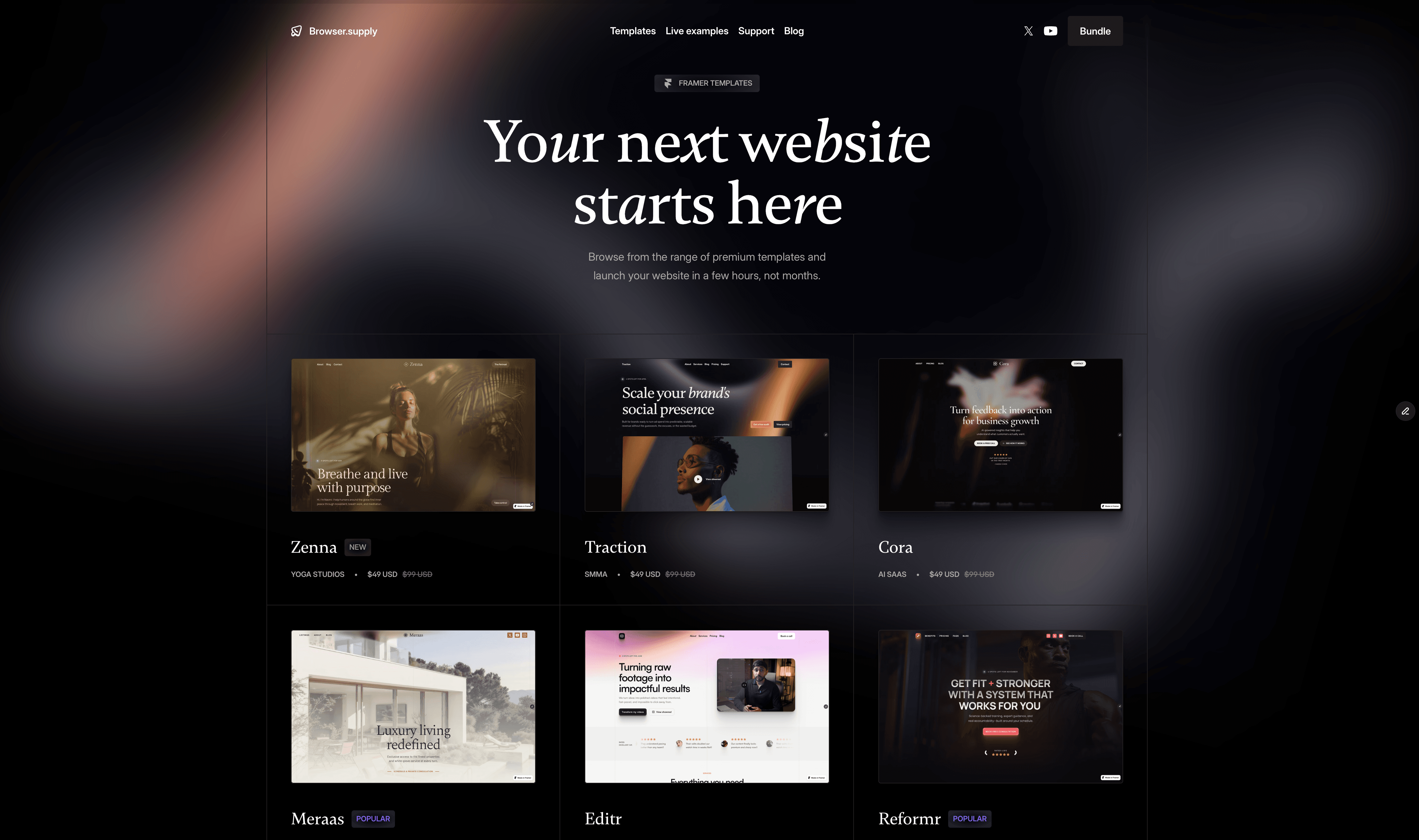
Not all templates are equal. The ones that work best aren't the prettiest. They're the ones built around the way your specific customers make decisions.
Here's what to look for:
Does it have the right page structure? A photographer needs a gallery focused layout. A coach needs a long form sales page. A SaaS founder needs feature sections and pricing tables. If the template wasn't designed with your business model in mind, you'll spend hours trying to force it into shape.
Does it guide visitors toward action? Every page should move people toward contacting you, booking a call, or making a purchase. The template should have clear calls to action built in, not just decorative sections.
Is it mobile ready? Over 60% of your visitors will see your site on their phone first. If the template doesn't look great on mobile out of the box, skip it.
Not sure which template fits? Take this 30 seconds quiz and get matched you to the right one based on your industry and goals.
3. Drop In Your Content (The 20 Minute Step)
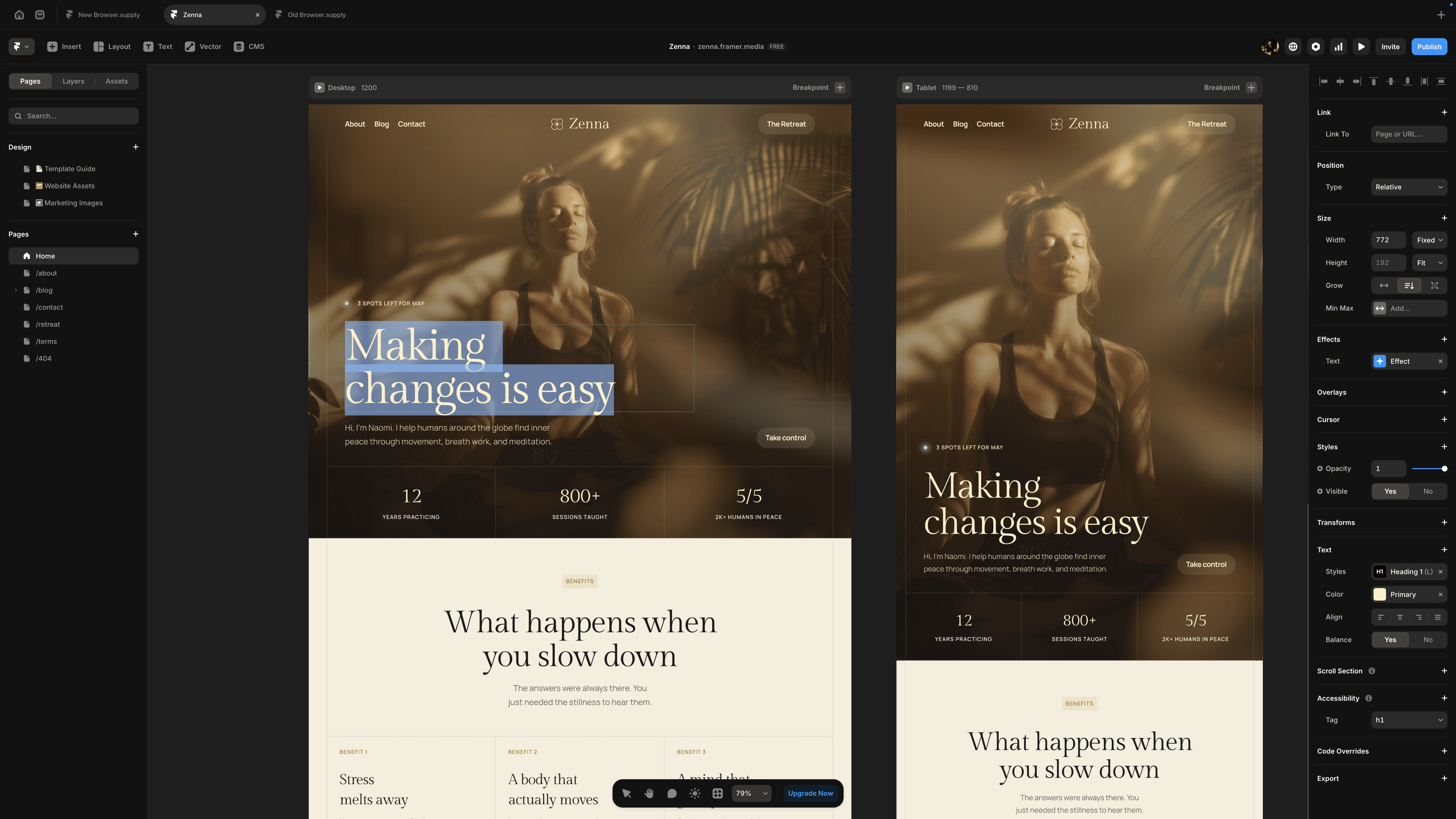
This is where most people expect the hard part. It's actually the fastest step if you prepare three things beforehand:
Your copy. You need one paragraph about what you do, one paragraph about who you help, and one paragraph about why you're the right choice. That's it. Don't overthink this. Write like you're explaining your business to a friend over coffee.
Your images. 5 to 8 photos that represent your work. For service businesses, use photos of you working with clients or results you've delivered. For product businesses, use clean product shots. If you don't have professional photos yet, your phone works. Natural lighting, simple backgrounds.
Your brand basics. Your logo (even a text based one is fine for now), your brand colors (pick two: a primary and an accent), and your preferred fonts. Most templates let you swap these globally in a few clicks.
Once you have those three things, you're dragging and dropping. Replace the placeholder text with yours. Swap the stock images for your own. Adjust the colors to match your brand. With a well built template, this takes 15 to 20 minutes.
4. Set Up Your Five Essential Pages
Every business website needs these five pages. No more, no less to start:
Home. Your storefront. Hero section with a clear headline that says what you do and who you do it for. A few sections of proof (testimonials, portfolio pieces, client logos). One strong call to action above the fold.
About. The most underrated page on any business website. People buy from people. A photo of you, your story, why you do this work. Keep it personal.
Services or Products. Clear descriptions of what you offer, with pricing if possible. Visitors who can't find your prices often leave. Transparency builds trust.
Portfolio or Proof. Case studies, before and after shots, project galleries, video testimonials. Whatever shows that you deliver results. If you're just starting out, use 2 to 3 of your best examples rather than showing everything.
Contact. A simple form, your email, and your booking link. Make it impossible for someone to want to hire you and not know how.
Templates like Monetize for course creators already have these pages built and structured in the right order. You don't need to figure out the hierarchy. It's done.
5. Connect Your Domain
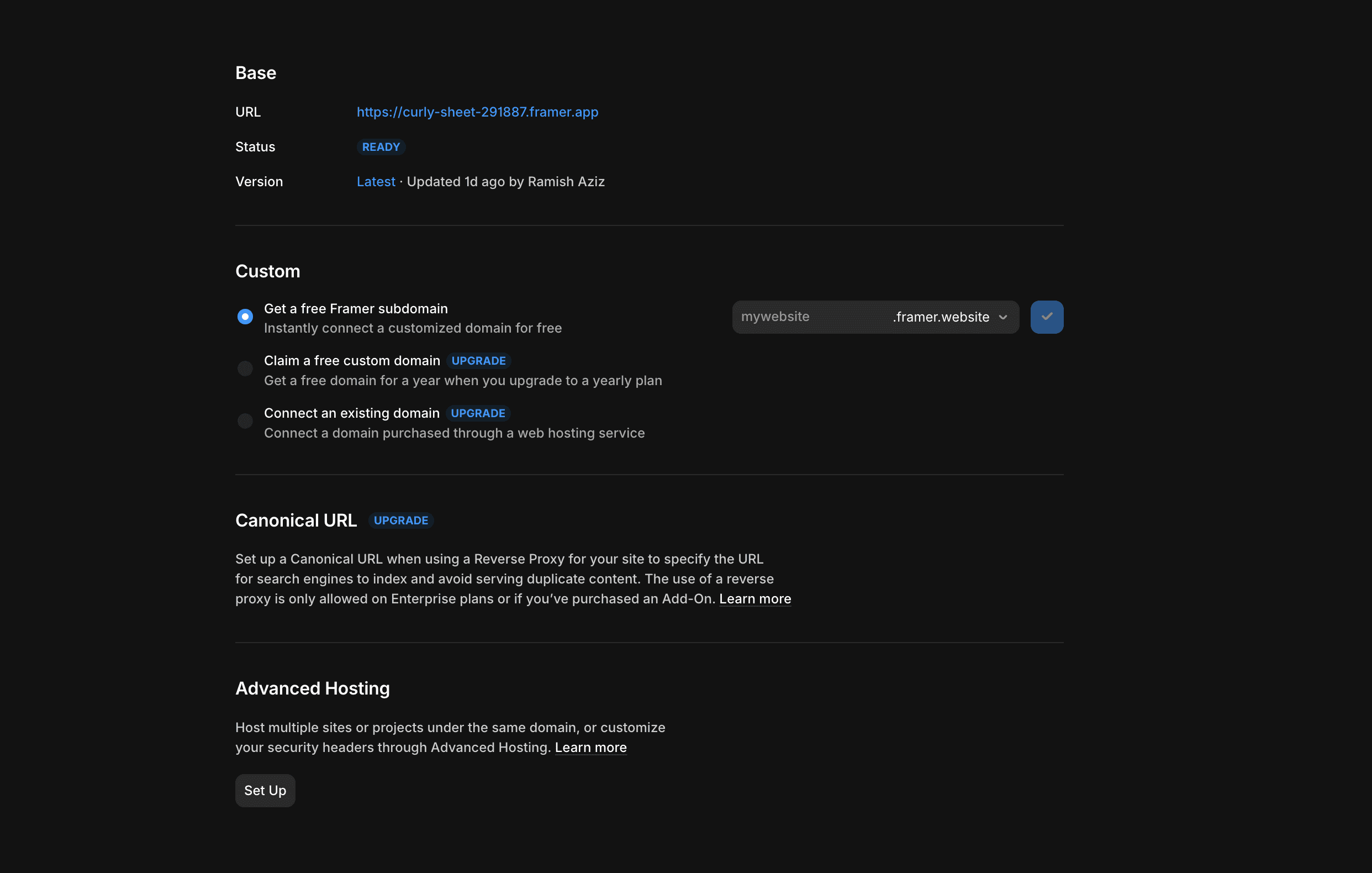
Nothing says "I'm not serious" like a website on a free subdomain. yourbusiness.framer.website doesn't build confidence. yourbusiness.com does.
If you don't own a domain yet, grab one from Namecheap or Cloudflare Registrar. It costs about $12 per year. Use your business name or your own name. Keep it short, easy to spell, and easy to say out loud.
Connecting your domain to your site takes about 5 minutes. You'll update two DNS records (your hosting platform gives you the exact values), wait for them to propagate (usually under 30 minutes), and you're live.
This single step instantly makes your website look ten times more legitimate. I've seen businesses double their inquiry rate just by switching from a free subdomain to a proper domain. It's the cheapest credibility upgrade you can make.
6. Add a Way to Convert Visitors
Your website without a way to capture leads is just a digital business card. And business cards don't book clients.
Set up at least one of these:
A booking link. Tools like Calendly or Cal.com let visitors pick a time and book directly with you. Embed it on your contact page and in your navigation. No back and forth emails. No missed inquiries.
A contact form. If booking doesn't fit your model, a simple form that captures name, email, and a short message works. Most templates have this built in. Make sure submissions go to an email you actually check.
A lead magnet. For coaches, consultants, and course creators, offering a free resource (checklist, guide, mini course) in exchange for an email address builds your list while your site works in the background.
For service businesses, a template like EverAfterLens for photographers or Partnr for coaches has inquiry forms and booking sections already wired into the design. You're not bolting on a contact system after the fact. It's part of the layout.
7. Check It On Your Phone
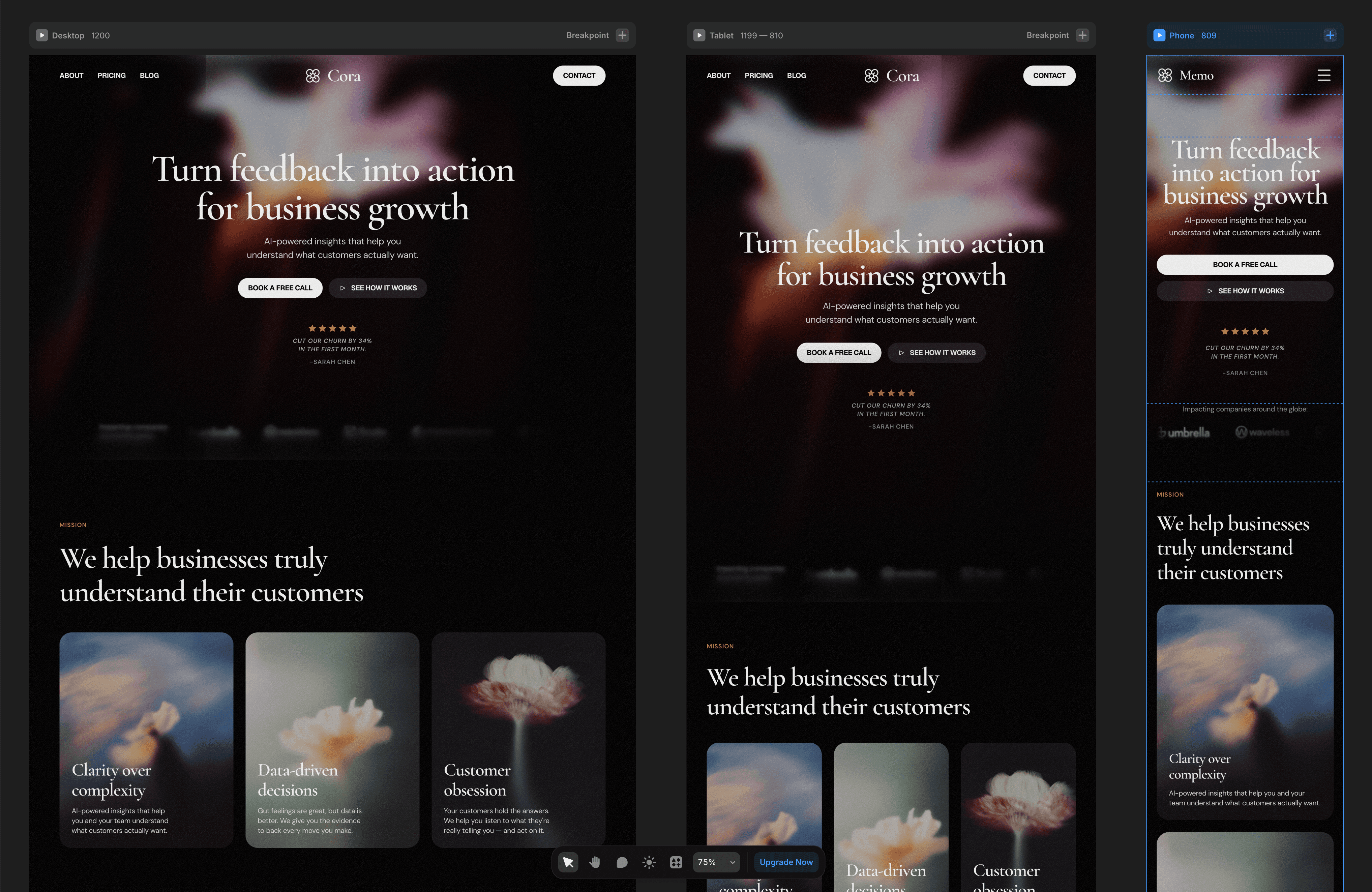
Pull out your phone right now and load your site. Tap every button. Scroll through every page. Try to book a call or submit a form.
If anything feels clunky, fix it before you share your URL with anyone. Over half your visitors will find you on mobile first. A site that works perfectly on desktop but breaks on a phone loses those people immediately.
Things to watch for:
Text that's too small to read without zooming
Buttons that are too close together to tap accurately
Images that load slowly or get cropped awkwardly
Forms that are hard to fill out on a small screen
Navigation menus that don't collapse properly
Good templates handle most of this automatically. But always verify with your own eyes on a real device. According to Google's own data on mobile usability, sites that aren't mobile friendly get penalized in search rankings. So this isn't just about user experience. It affects whether people find you at all.
8. Hit Publish and Share It
Here's where most people stall. They tweak colors for another week. They rewrite their about page four times. They wait until everything is "perfect."
Your website will never be perfect. And an unpublished perfect site helps your business exactly as much as not having one at all.
Publish it. Share the link. Put it in your Instagram bio, your email signature, your LinkedIn profile, your Google Business listing. Every day your website isn't live is a day potential customers are finding your competitors instead.
You can always update later. That's the entire point of a template you control. Swap images, update copy, add new testimonials, adjust pricing. It takes minutes, not weeks.
What This Actually Costs vs. Hiring a Designer
Let's be honest about numbers:
Route | Cost | Timeline | Result |
|---|---|---|---|
Web design agency | $3,000 to $15,000+ | 4 to 12 weeks | Custom, but slow and expensive |
Freelance designer | $500 to $3,000 | 2 to 6 weeks | Hit or miss quality |
DIY from scratch | Free (plus your sanity) | Weeks of frustration | Usually looks amateur |
Industry specific template | $99 | Under 1 hour | Professional, proven structure |
The math isn't complicated. A template built for your industry gives you 90% of what a custom site delivers at a fraction of the cost. And you control it. No waiting on a designer to make a text change. No monthly retainer just to update your phone number.
If you want the full set of templates for your business (and access to every future release), the Browser Supply bundle is the most cost effective way to get started.
Your Website Should Work as Hard as You Do
You didn't start your business to spend weeks building a website. You started it to serve clients, create something meaningful, and build a life on your own terms.
A professional website is the foundation that makes everything else work. It's where people decide whether to trust you, contact you, or move on. And now you know it doesn't require a design degree or a massive budget to get right.
Pick a template that matches your industry. Drop in your content. Connect your domain. Publish it today.
Not sure which template fits? Take the quiz and get a personalized recommendation in 30 seconds. Or browse the full template collection and see what catches your eye.